Introduction
You have a logo, a customer waiting, and a production deadline looming. But that beautiful vector file sitting on your computer cannot be read by your embroidery machine. It needs to become a stitch file, and getting there efficiently makes the difference between profit and loss. This is where Professional Embroidery Digitizing Software steps in to save the day.
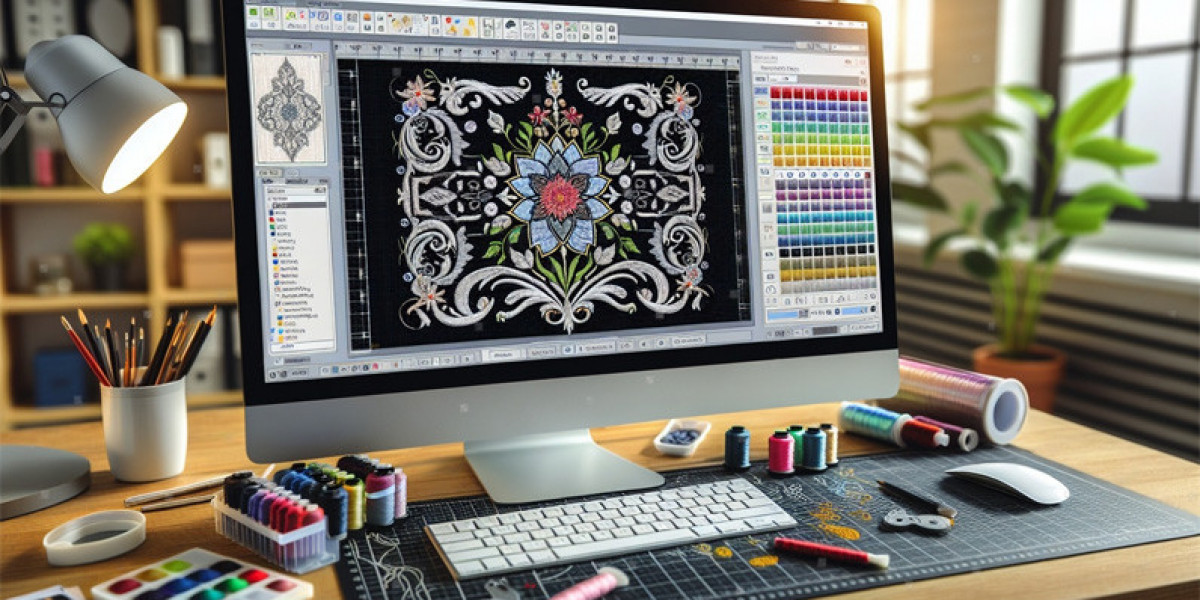
I have watched the embroidery industry transform over the years. What used to take hours of manual tracing and guesswork now happens with precision and speed. Professional digitizing software serves as the bridge between your artwork and your machine, translating visual designs into the language of stitches, thread paths, and sequencing . The right software does not just create files, it streamlines your entire production workflow from start to finish.
The Software That Powers Professional Digitizing
When we talk about professional embroidery digitizing software, Wilcom EmbroideryStudio stands as the industry gold standard. Since pioneering the first desktop embroidery design system in 1983 and the .EMB file format in 1996, Wilcom has powered over 395,000 users across 120 countries . It offers unmatched stitch precision and seamless machine integration that serious businesses rely on.
The software comes in different levels tailored to specific needs. EmbroideryStudio Designing provides full manual and auto-digitizing tools with advanced stitch effects. EmbroideryStudio Decorating offers professional auto-digitizing with speed-focused features. EmbroideryStudio Editing lets shops bring quality control in-house by editing stitch paths and preparing machine-ready files . For businesses that outsource digitizing but need editing capabilities, this tiered approach gives you exactly what you need without paying for features you will not use.
From Artwork to Stitches: The Core Process
The journey from logo to stitch file follows a clear workflow that professional software streamlines at every step. It all starts when you import your artwork into the software. Professional digitizers prefer vector formats like AI, EPS, or SVG because they maintain quality when resized and allow clean stitch path definition . High-resolution PNG files work too, but vector formats give you the cleanest results.
Once imported, the digitizer traces each shape and assigns appropriate stitch types. Different elements need different approaches. Satin stitches work beautifully for letters and borders, creating a smooth, raised finish. Fill stitches, also called tatami stitches, cover larger areas efficiently. Run stitches handle fine details and outlines . Professional software gives digitizers complete control over these choices, ensuring every part of your logo looks right on fabric.
Fine-Tuning for Perfect Stitch-Out
The real magic happens in the adjustments. Professional software lets digitizers set stitch density, which controls how tightly stitches pack together. They add underlay stitches that create a stable foundation and prevent fabric puckering. They apply pull compensation, a critical adjustment that accounts for how fabric distorts during stitching . Without these fine adjustments, your logo might look perfect on screen but stitch out distorted on fabric.
Modern software like Wilcom EmbroideryStudio 2026 introduces powerful features that speed up this fine-tuning. Multi Blend allows smooth transitions between stitch styles. Continue Digitizing lets you pick up where you left off without starting over. Independent Pull Compensation gives you granular control over each part of the design . These features translate directly into faster digitizing and better results.
Automation That Works Without Sacrificing Quality
Here is where professional software truly streamlines production. Auto-digitizing features have improved dramatically, but the best approach remains a hybrid one. You can auto-digitize entire designs or specific sections, then refine them using traditional manual digitizing . This combination saves time while maintaining the quality that professional digitizers are known for.
Time-saving tools like Branching automatically sequence touching objects to eliminate unnecessary thread trims. Styles let you save favorite stitch settings and apply them instantly to other objects. Shaping Tools allow you to weld, flatten, and remove overlaps with a single click . For businesses handling high-volume work, these features shave minutes off every design.
Production Features That Go Beyond Digitizing
Professional digitizing software extends its value far beyond creating stitch files. EmbroideryStudio includes CorelDRAW Graphics Suite integration, letting you switch seamlessly between artwork preparation and digitizing . This eliminates file conversion issues and keeps artwork pristine from design to production.
The software also generates approval forms and production worksheets directly, complete with barcodes for easy job tracking . The Product Visualizer lets you show designs on fabric backgrounds or garment images, invaluable for customer approvals and ensuring correct placement . For team uniform orders, features like Team Name automation import name lists and automatically generate sequenced designs . What used to be a tedious manual process becomes a streamlined workflow.
AI Assistance: Helpful but Not Replacing
Artificial intelligence is finding its place in embroidery software, but not in the way many people expect. AI-assisted digitizing can speed up the initial conversion, but it still needs human refinement for professional results . Complex decisions about stitch direction, density, and fabric-specific adjustments remain firmly in the hands of skilled digitizers.
Wilcom Answers provides in-software AI-powered help . Other AI tools automate lettering, design creation, and file conversion for e-commerce platforms . The message from industry leaders is clear: AI assists, it does not replace the digitizer's expertise.
The Business Case for Professional Software
Investing in professional digitizing software makes business sense for many embroidery operations. For shops that previously outsourced digitizing, bringing this capability in-house opens new opportunities for faster turnaround and higher profits. You can take on rush orders, offer in-house samples, and react instantly to customer demands .
The software also helps you make designs run more efficiently by reducing stitch counts and trims. Lower stitch counts mean faster production and less thread waste. For high-volume shops, these savings add up quickly.
Conclusion
Professional embroidery digitizing software has transformed the journey from logo to stitch file. It combines the precision of manual digitizing with powerful automation, integrates seamlessly with design tools, and supports everything from simple logos to complex production runs. The software now offers features that speed up every step of the process, from importing artwork to generating production worksheets.
For anyone serious about embroidery production, professional digitizing software is not just about creating files. It is about streamlining your entire workflow, reducing manual corrections, minimizing machine stoppages, and maintaining consistent quality. Whether you are a small shop looking to bring digitizing in-house or a large operation scaling up production, the right software unlocks new levels of efficiency and professionalism. The journey from logo to stitches has never been smoother.